Conversation owners and response targets
Check who will reply, arrange a handover when needed, and understand the response targets shown in the workspace.
- Who uses it
- Administrators, Employees
- Content updated
- 2026-09-09
Sign in to your company workspace first. Add the /app/… paths below to your company system URL.
Before you start
- An active inbox; configuration and reassignment require the corresponding administrator, supervisor or delegated permission.
Steps
Understand the current direct-inbound owner order
For direct incoming messages, the system first tries the customer owner, then the previous active agent, then the inbox’s default owner; otherwise the conversation stays unassigned. Saved round-robin, least-load and weighted policies at /app/auto-assign are not yet connected to this path.
Expected result: You can explain the actual owner or unassigned state instead of assuming a saved policy was applied.
Hand over the conversation with context
An administrator, supervisor or user with reassignment permission can select the new agent in the inbox’s conversation assignment controls. Ordinary agents may not see that action. Add the necessary handover context; assignment identifies the next responder but does not replace team or inbox access rules.
Expected result: The conversation shows the intended next responder.
Open SLA settings
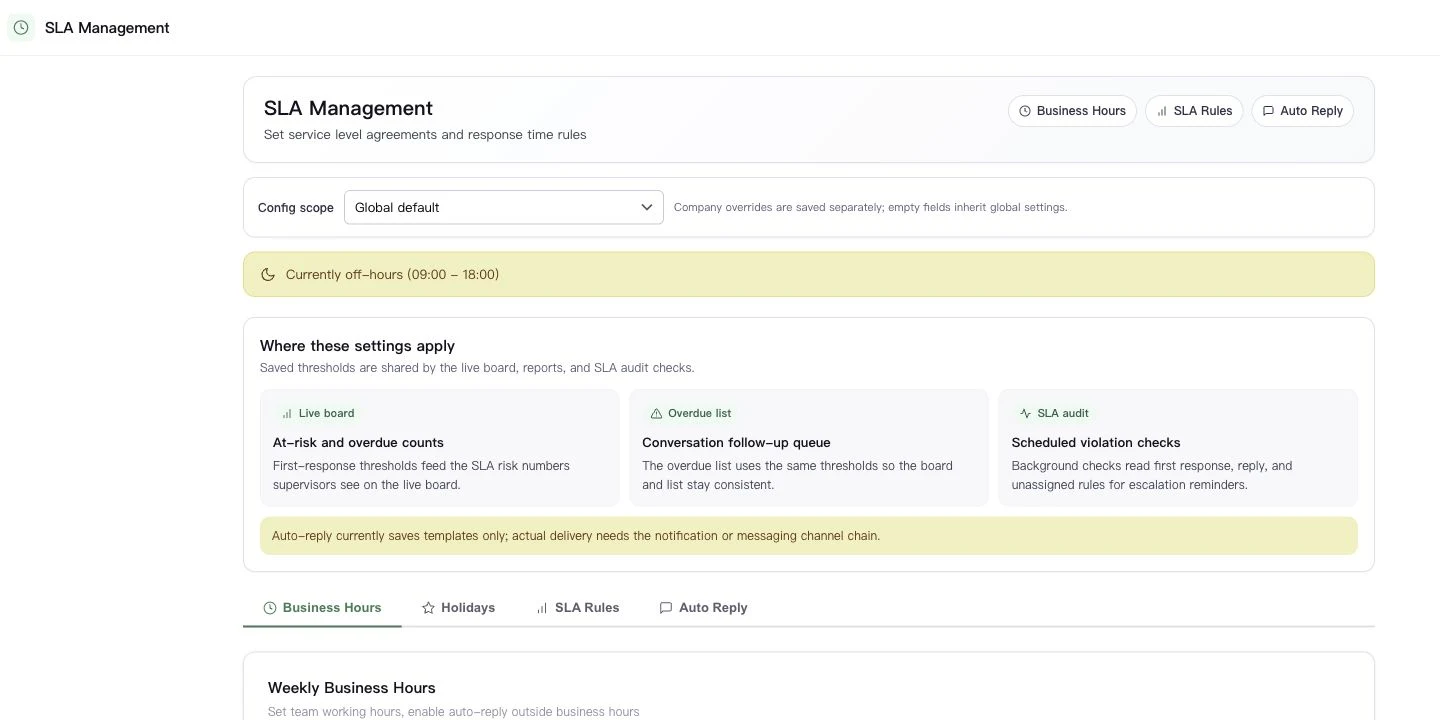
Open Customer service → Team → SLA settings, at /app/sla-settings. Check Business Hours, Holiday Management, SLA Rules and Auto Reply, and save the section you changed. The automatic-assignment page has no workspace or sidebar entry; /app/auto-assign is currently a direct URL for administrators.
Expected result: The relevant settings section confirms it was saved.
Check the timer with a real test conversation
Global defaults supply response thresholds. Company overrides cover timezone, working hours, holidays and auto-reply content; they do not replace the global response thresholds. Send a timed test message and compare the inbox and SLA view. Saving an auto-reply template alone does not prove it was delivered.
Expected result: The visible timer and actual reply have been checked before relying on the target.